What it does
Opens a payment terminal in the browser.
Create a Charge, Store, or Tip terminal. The customer opens it by payment link or QR code, then reviews and approves it in their browser.
Agent · Tap to Pay · QR · Store · Tips
You did the work. Valetfy helps with the part after: make a charge, take a tip, share a Store, or accept Tap to Pay on an eligible iPhone. Your customer approves the payment. Stripe processes it.
30-second brand film · Press play
Built for everyone who hears “do you take card?”
Valetfy is built for food trucks, mobile vendors, market stalls, pop-ups, barbers, detailers, tutors, street vendors, photographers, service providers, and more.
Ways to get paid
Charge Links, Store, Tips, and Tap to Pay on iPhone live in the same seller workspace. Your customer never has to install anything to pay you.
Tell the Agent what you need to collect or set an exact amount yourself. Send the link, show the QR, or take a tap in person.
How Charge Links work→Available nowA public page of what you sell. They can browse and check out on their own, or you can take a tap when they are standing with you.
How the Store works→Available nowFor the work people want to thank you for. They pick the amount, review it, and approve it in their browser.
How Tips work→For eligible iPhone sellersUse your iPhone as the in-person terminal for a supported contactless card or wallet. No separate reader to carry around.
Take a card on iPhone→Ask Valetfy
The Valetfy Agent helps you create and run the payment side. The Order Agent helps shoppers work through what you sell. Important actions still stay visible and require approval.
Tell Valetfy what you need to collect. It can prepare supported payment links and QR codes, then help you find the payment detail you need without hunting through screens.
Meet the Valetfy Agent→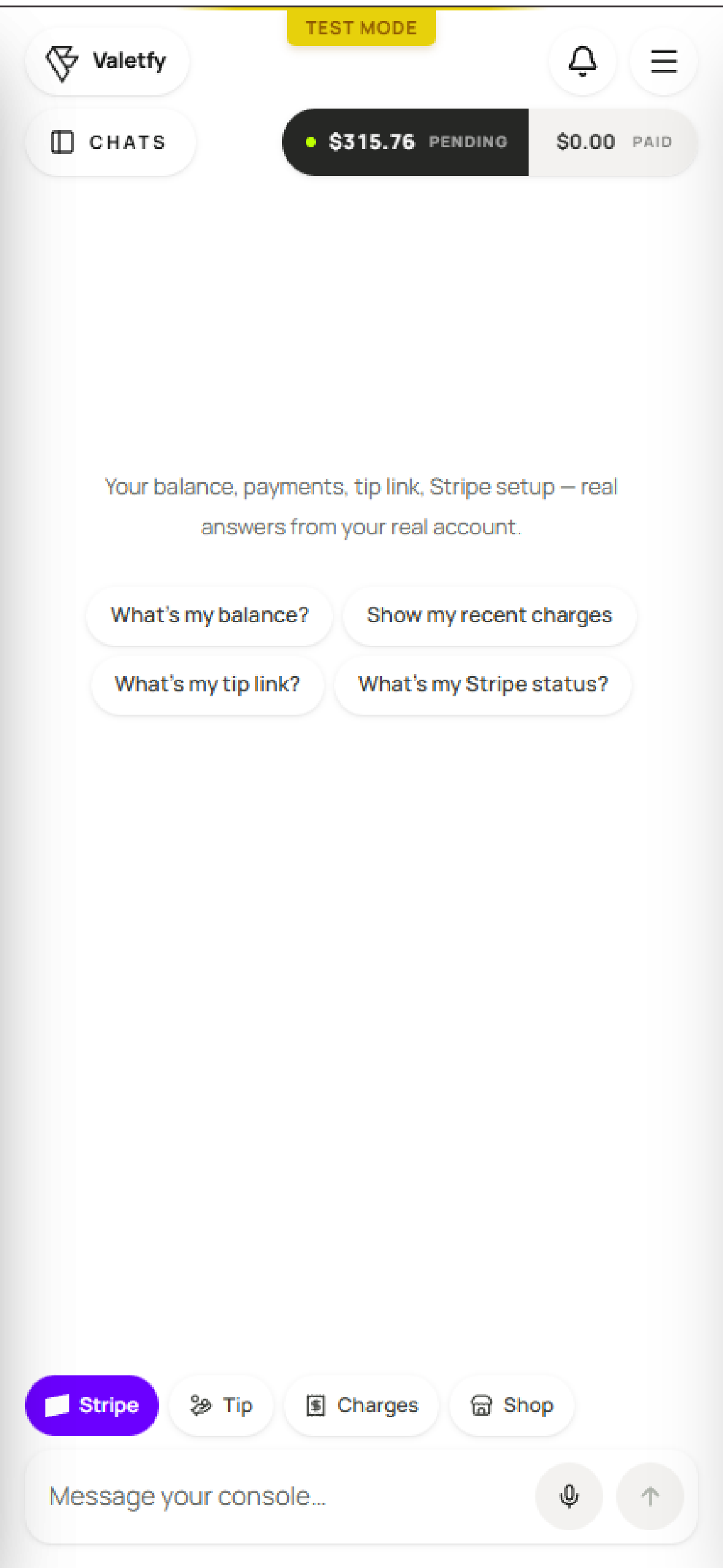
Your Store can answer questions about your catalog, build a visible order draft, and let the shopper correct it before anything reaches the real cart.
“Which folding knives are under $50?”
See the Order Agent→What Valetfy means
The name uses the older idea of a valet—a helper that handles tedious checkout steps. Valetfy gives in-person sellers browser payment terminals with payment-link or QR-code access while the business still sets the price and fulfills the sale.
What it does
Create a Charge, Store, or Tip terminal. The customer opens it by payment link or QR code, then reviews and approves it in their browser.
Who it helps
Food trucks, pop-ups, mobile vendors, and independent service providers can offer card payment without buying a reader or requiring a customer app.
What it is not
Valetfy does not park cars, dispatch parking attendants, or manage vehicles. It does not issue or manage valet tickets. The “valet” in the name means a helpful payment assistant.
Google still corrects us to “valet.” Help us fix that →We don’t park cars. We make the annoying part of getting paid disappear. Help a solo developer fix the internet.
people have helped teach Google this week
No bots. No automated searches. Just real people who meant Valetfy. The counter is self-reported; we cannot see what you do on Google.
Open the shareable campaign page →
Get paid on your schedule
Instant Payouts lets eligible sellers move eligible USD funds from their Payouts screen when they need them. Stripe decides what is available and handles the payout; Valetfy keeps the work around getting paid in one place.
Stripe processes the payment; Valetfy shows the status, receipt, refund, dispute, and payout records needed to run the service. You connect your own Stripe account during setup, and Valetfy never holds the money.
Eligible funds, availability, and payout timing are decided by Stripe. Need help connecting your account? Contact us.
What it costs
The Valetfy service fee is added to your customer's total and shown to them as its own line before they pay — the way a delivery app shows its fee. You are not quietly absorbing it out of what you earned.
Charge, Store, and Tip have no monthly cost, no setup fee, and no hardware to buy. Optional Business tools have their own subscription pricing.
It is its own line in the checkout, before they approve anything. Nobody finds out about it afterwards.
Ask for $40 and $40 is the base amount that settles to your connected Stripe account.
Questions
Short answers. The whole point is that paying you is simple.
Valetfy makes getting paid easier. Send a payment link, show a QR code, open a simple public store, or take tips. Your customer pays in the browser without downloading an app or creating a Valetfy account, and Stripe processes the payment.
Valetfy is customer-facing browser payment terminal software. Create a Charge, Store, or Tip terminal and share it by payment link or QR code; your customer reviews and approves payment in their browser. No customer app or card reader. Payments are processed by Stripe.
Create a Charge, Store, or Tip terminal and share it by payment link or QR code. Their browser opens a checkout where they review and approve the payment with a supported wallet or major card. You do not need a card reader, and the customer does not need an app or account.
For the core Charge, Store, and Tip terminals, nothing comes out of your pocket — you keep 100% of what you charge. A small Valetfy service fee is added to your customer's total and shown as its own line item at checkout: 7.5% + $0.50 on payments under $25, stepping down to 3.9% + $0.50 as the amount grows (tips under $5 pay a flat $0.75). The core terminals have no monthly cost, hardware, or setup fee. Optional Business tools may have separate subscription pricing.
No. Customers do not need the Valetfy app, an account, or a download. They open the terminal by payment link or QR code, review the checkout in their browser, and approve the payment there.
The Agent brings common payment work into one conversation. Ask it to prepare supported payment links and QR codes, or check balances, recent charges, tip links, or Stripe setup. Important actions remain visible and require approval; Stripe still processes payments and payouts.
Yes. Every payment runs on Stripe, the same payments infrastructure behind millions of businesses. Card details go straight to Stripe — you never see or store them, and neither does Valetfy.
Customers can pay with Apple Pay, Link, or a supported card. Checkout shows the options available to that customer before they approve.
Payments settle to your connected Stripe account and pay out on Stripe's normal schedule. You can track every charge and payout from your Valetfy wallet.
Nothing. No card reader, dongle, or register. Your customer-facing browser terminal can be shared by payment link or QR code.
Valetfy is customer-facing browser payment terminal software, not a peer-to-peer payment app or a card-reader POS. Valetfy does not require the customer to have a Valetfy app or account, and you do not need Valetfy hardware. The customer opens a Charge, Store, or Tip terminal by payment link or QR code, then reviews and approves a supported card or wallet payment in the browser checkout.
Sign in with your phone number, connect your payout account, and your QR code is ready. Print it, show it on a screen, or add it to Apple Wallet — no hardware to buy, nothing to install.
You connect one during setup, right inside Valetfy — it takes a few minutes. Stripe handles identity and banking, so your money goes straight to your bank account.
The name Valetfy uses the older idea of a valet: a helper that handles tedious steps and removes friction. Valetfy is customer-facing browser payment terminal software for many kinds of businesses, not a valet-parking service, and it does not issue valet tickets.
Not ready to wire up Stripe?
I'm the person who built Valetfy. Leave your info and I'll get your card payments working and help get you found online — done with you, by a real person. No hardware, no pressure.
Free when you take cards with Valetfy.
Getting local shops actual leads is what I'm building next — get on the list and you're first.
Stop losing sales over the wrong app
Everyone should be able to take a card. No hardware, no app for your customer, payments processed by Stripe.